
Manual Control
Pilots can control a vehicle manually using either a Radio Control (RC) System or a Joystick/Gamepad controller connected via QGroundControl. PX4 also supports using RC and/or multiple Joysticks, with fallback from one type to the other.
Overview
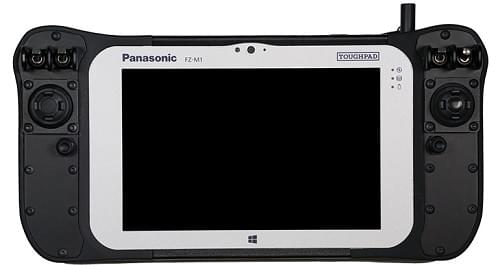
Joystick setups use QGroundControl to encode the control information from a "standard" computer gaming joystick into MAVLink messages that are sent to the vehicle over the (shared) telemetry radio channel. They are often used in integrated GCS/manual control systems because it is cheaper and easier to integrate a joystick than a separate radio system.
Joysticks are suitable for most applications provided your telemetry channel has a high enough bandwidth/low latency. They are perfect for flying the PX4 simulator, because you can plug them directly into your ground control computer and start flying.
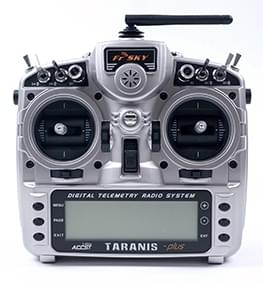
RC systems use a dedicated ground-based radio transmitter and vehicle-based receiver for sending control information. They offer lower latency than Joysticks, and are very highly recommended when first tuning/testing a new frame design, when flying racers/acrobatically, and in other cases where low latency is important. They can also be useful as a robust backup link for safety. Note RC systems usually require significantly more configuration and calibration, much of which may be brand or model-specific.
INFO
PX4 does not require a manual control system for autonomous flight modes.
PX4 Configuration
TIP
This section explains how to configure PX4 to use and prioritise various manual control sources (other configuration is covered in the guides for each type of manual control).
If you only have one manual control system, either RC or Joystick, then by default no manual control selection is required. In this case PX4 locks to the first valid manual control source it detects and uses that source until the vehicle is rebooted.
If you have multiple control sources, such as an RC system and/or one or more Joysticks, then you can use the COM_RC_IN_MODE parameter to determine which source is active, specifying selection priorities and fallback behavior (parameters can be set using QGC):
0: RC only.1: MAVLink only.2: RC or MAVLink with fallback (switches if current source becomes invalid).3: RC or MAVLink keep first (locks to the first valid source until reboot).4: Disable manual control (ignores all sources).5: RC priority, then MAVLink (lower instance before higher) —RC > MAVLink 1 > MAVLink 26: MAVLink priority (lower instance before higher), then RC —MAVLink 1 > MAVLink 2 > RC7: RC priority, then MAVLink (higher instance before lower) —RC > MAVLink 2 > MAVLink 18: MAVLink priority (higher instance before lower), then RC —MAVLink 2 > MAVLink 1 > RC
The MAVLink instance refers to an instance assigned to a serial port, such as MAV_0_CONFIG.
Notes:
- RC checks are run for any option that uses RC (so not for
MAVLink onlyorDisable manual control). - When using priority sources, sources are evaluated as soon as they become valid and may trigger an immediate switch (if higher priority than the currently active source).
- A Manual Control Loss Failsafe is triggered when none of the manual control inputs allowed by the
COM_RC_IN_MODEmode are available for a time that is greater than the RC Loss Timeout. As long as there is a fallback input source available, the failsafe is not triggered.