
ARK DIST MR
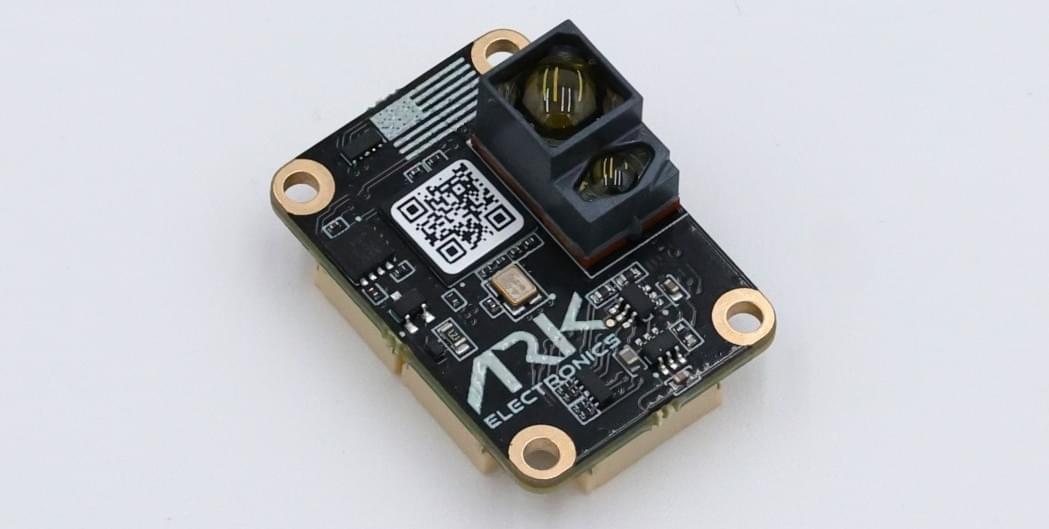
ARK DIST MR is a mid range, open source DroneCAN distance sensor.
구매처
Order this module from:
- ARK Electronics (US)
Hardware Specifications
- Open Source Schematic and BOM
- 센서
- Broadcom AFBR-S50LX85D Time-of-Flight Distance Sensor
- Typical distance range up to 50m
- Integrated 850 nm laser light source
- Field-of-View (FoV) of 12.4° x 6.2° with 32 pixels
- Operation of up to 200k Lux ambient light
- Reference Pixel for system health monitoring
- Works well on all surface conditions
- Transmitter beam of 2° x 2° to illuminate between 1 and 3 pixels
- Broadcom AFBR-S50LX85D Time-of-Flight Distance Sensor
- Two Pixhawk Standard CAN Connectors (4 Pin JST GH)
- Pixhawk Standard UART Connector (6 Pin JST SH)
- Pixhawk Standard Debug Connector (6 Pin JST SH)
- Small Form Factor
- 2.0cm x 2.8cm x 1.4cm
- 4g
- LED Indicators
- USA Built
- NDAA Compliant
- Power Requirements
- 5v
- 78mA Average
- 84mA Max
- 5v
하드웨어 설정
배선
The ARK DIST is connected to the CAN bus using a Pixhawk standard 4 pin JST GH cable. For more information, refer to the CAN Wiring instructions.
The ARK DIST can also be connected with UART and communicates over MAVLink sending the DISTANCE_SENSOR message.
Firmware Setup
ARK DIST MR runs the PX4 DroneCAN Firmware. As such, it supports firmware update over the CAN bus and dynamic node allocation.
PX4 설정
DroneCAN
Enable DroneCAN
단계는 다음과 같습니다:
- In QGroundControl set the parameter UAVCAN_ENABLE to
2for dynamic node allocation (or3if using DroneCAN ESCs) and reboot (see Finding/Updating Parameters). - Connect ARK DIST SR CAN to the Pixhawk CAN.
Once enabled, the module will be detected on boot. Distance sensor data should arrive at 40Hz.
DroneCAN configuration in PX4 is explained in more detail in DroneCAN > Enabling DroneCAN.
CAN Configuration
First set the parameters to Enable DroneCAN (as shown above).
Set the following parameters in QGroundControl:
- Enable UAVCAN_ENABLE to 2 for dynamic node allocation.
- Enable UAVCAN_SUB_RNG.
- Set EKF2_RNG_QLTY_T to
0.2. - Set UAVCAN_RNG_MIN to
0.08. - Set UAVCAN_RNG_MAX to
50.
See also Distance Sensor/Range Finder in DroneCAN > Subscriptions and Publications.
UART/MAVLink Configuration
If connecting via a UART set the following parameters in QGroundControl:
- Set MAV_X_CONFIG to the port the sensor is connected to.
- Set MAV_X_FORWARD to
0(off). - Set MAV_X_MODE to
7or13to (Minimal or Low Bandwidth) to reduce memory usage. - Set
SER_XXX_BAUDto115200, whereXXXis specific to the port you are using (such as SER_GPS2_BAUD). - Set EKF2_RNG_QLTY_T to
0.2.
See Also
- ARK DIST MR (ARK Docs)